
Complete your setup
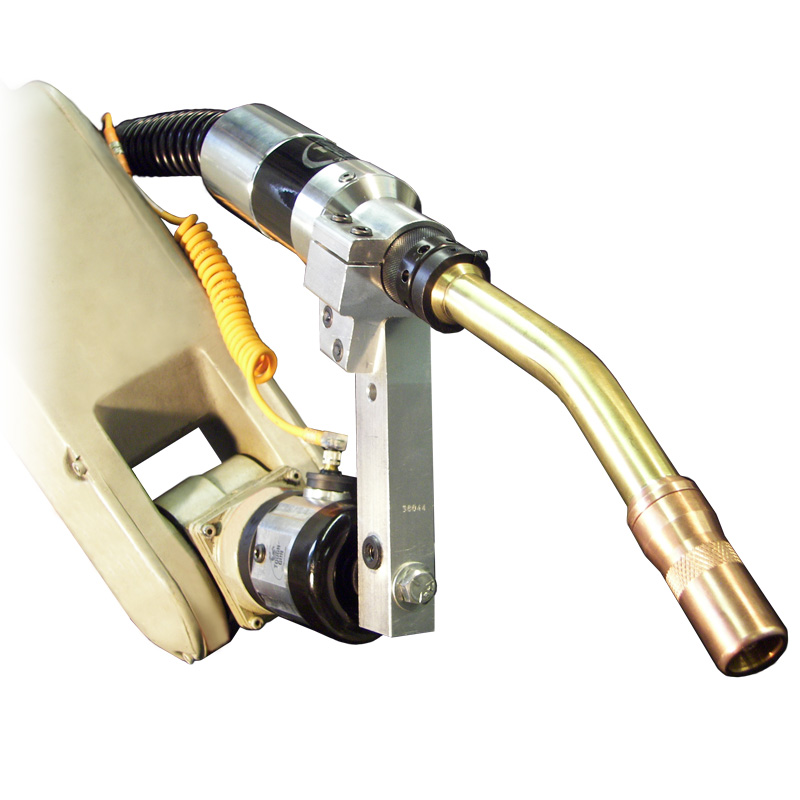
After configuring your gun, add the mounting hardware for your robot. Clutch setups need all three parts below; solid mount setups skip the clutch.
Step 2: Insulating/Transition Disc
Choose the disc that matches your robot model.
- Clutch setups use AS-10X series discs
- Solid mount setups use 59D series discs
See spec sheet for the full robot-to-disc list.
Step 3: Mounting Arm
| Part | Mount | Neck | TCP |
|---|---|---|---|
| AS-71-000-22 | Clutch | 22° | 350 mm |
| AS-71-001-22 | Clutch | 22° | 400 mm |
| AS-71-00-180 | Clutch | 180° | 350 mm |
| AS-72-000-22 | Solid | 22° | 350 mm |
| AS-72-001-22 | Solid | 22° | 400 mm |
Step 4: Safety Clutch (clutch setups only)
AS-708 safety clutch
Clutch or solid mount?
A clutch mount triggers an emergency stop if the robot collides with something; a solid mount doesn’t. Many robots have built-in collision detection, but a clutch adds an extra layer of protection.
One thing to note: the arms show a 180° neck only with the clutch mount. There’s no solid mount arm for 180° listed, so if a customer picks the 180° neck (code C), they’ll need a clutch setup. Worth confirming that with Tregaskiss, and calling it out on the page if it’s correct.